INSAVLO

OFFLINE AI PDF EDITOR · POWERED BY INSAVLO G1 MINI

Unlimited AI. On your computer.Edit, redact, convert and translate PDFs — all on your computer.

  • No uploads*
  • Works offline
  • Windows & Mac

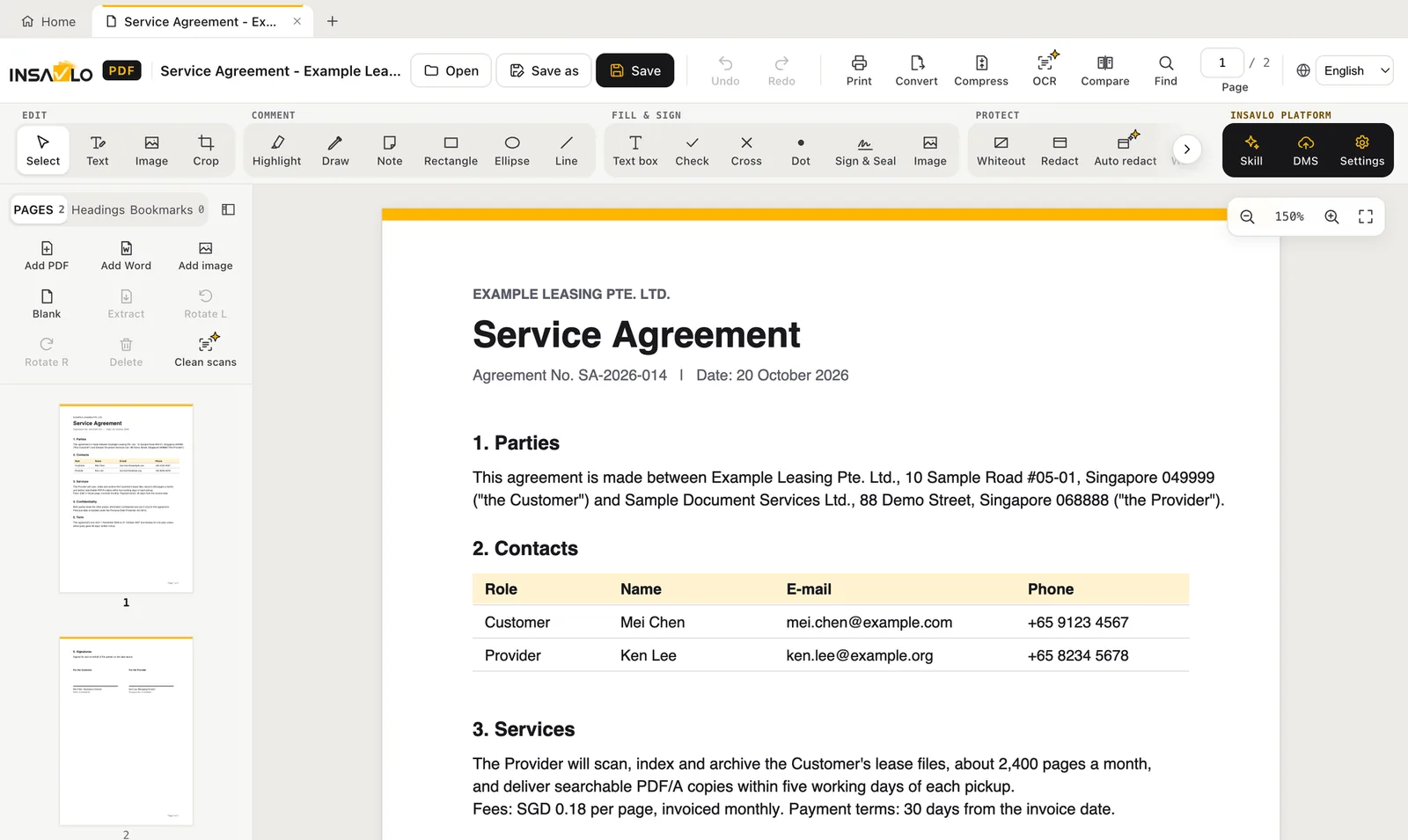
Insavlo PDF is an offline AI PDF editor for Windows and macOS, powered by Insavlo G1 Mini. All its on-device AI features, such as text recognition, Auto Redact and translation, run on your computer with no usage limits, and documents are not uploaded unless you buy and use Insavlo Platform cloud parsing.

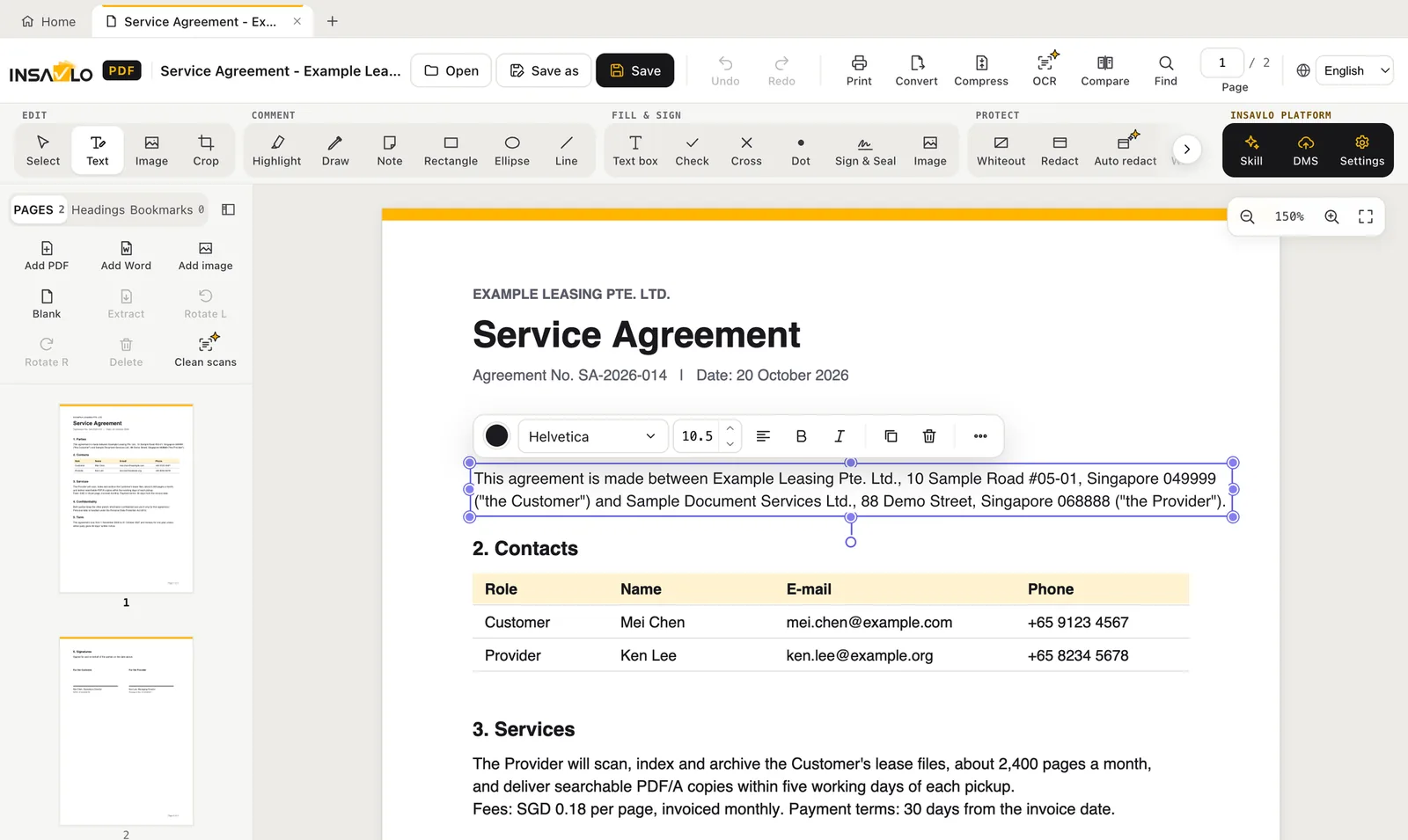
The Insavlo PDF main window with a sample service agreement open
ON-DEVICE AI
Insavlo G1 Mini · Auto Redact · translation · OCR
FORMATS
PDF · Word · Excel · PowerPoint · ODT · images
PLATFORMS
Windows 10/11 · macOS (Apple M1 or later, 8 GB memory)
LICENCE
Personal free (coming soon) · Pro from US$79 a year
FREE TRIAL
Pro, 1 month

INSAVLO PDF · POWERED BY INSAVLO G1 MINI

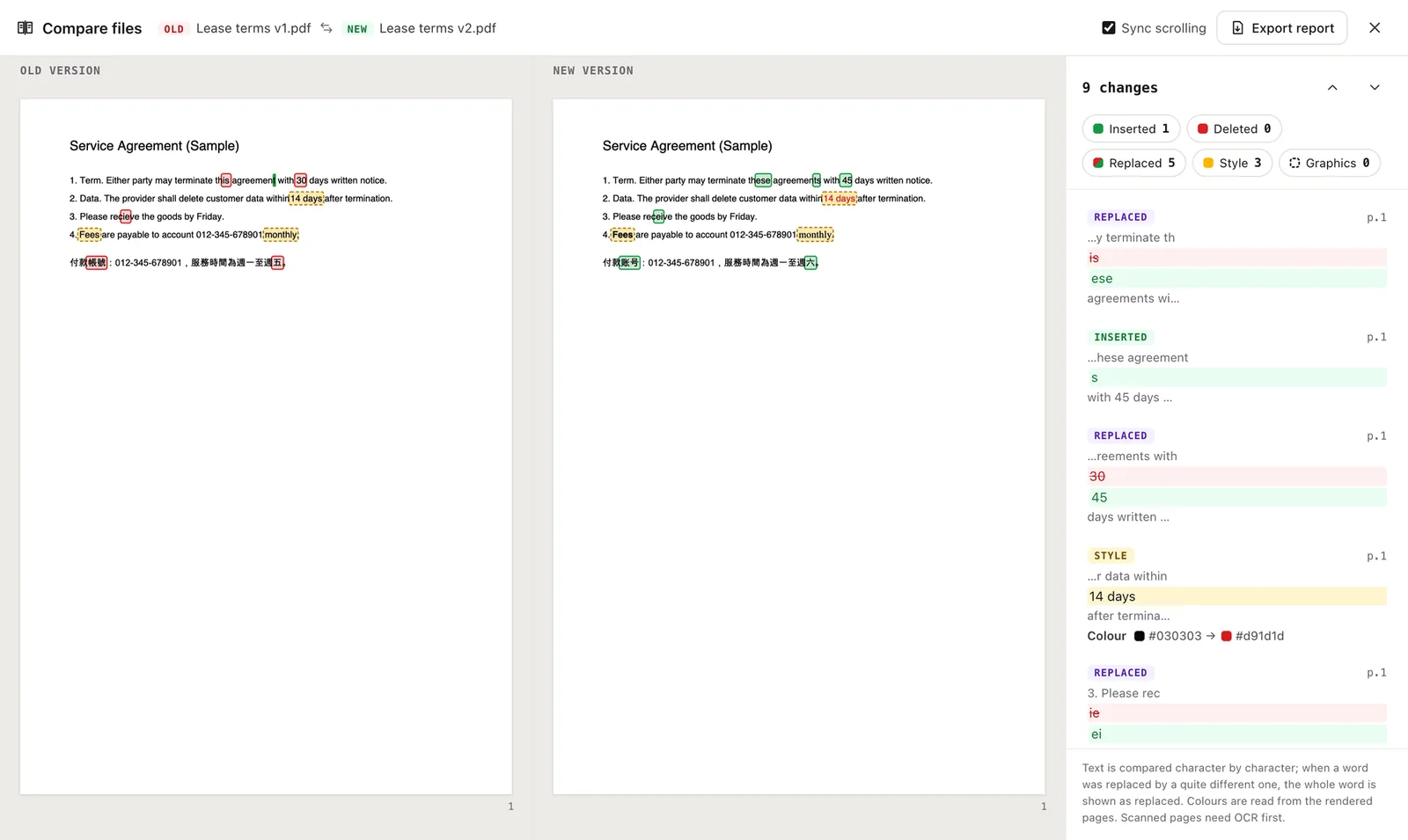
Insavlo PDF: more than editing PDFs. It de-identifies, recognises text, cleans up scans, splits documents and translates

Besides editing, converting and signing PDFs, Insavlo PDF is powered by Insavlo G1 Mini on-device AI models that do this work on your computer: on-device AI has no usage limits, documents are not uploaded (unless you buy and use Insavlo Platform cloud parsing), and nothing is applied until you confirm. Open a scenario for details.

G1 MiniOn-devicePro and up

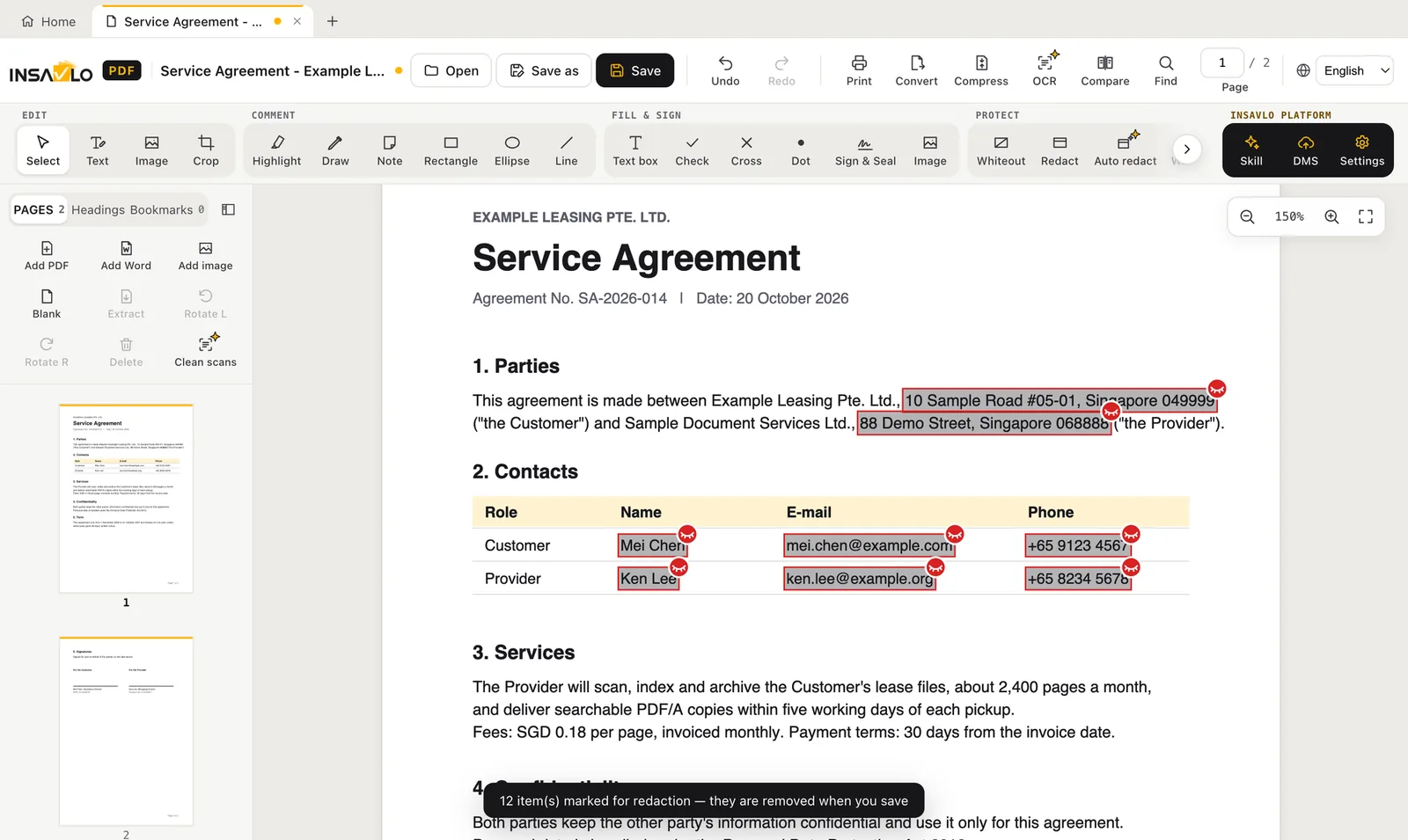
Fully automatic de-identification: personal data, stamps and photos

Before contracts, records or applications go to a vendor, an auditor or a court, someone has to find every name, ID and account number, and every company seal, personal chop and ID photo.

  1. Before a contract goes to a vendor or an auditor, open it and click Auto Redact
  2. Names, ID and account numbers, stamps and ID photos are already marked; just look through them
  3. Confirm, and they are removed securely: the original content does not stay in the file

Stamp and photo detection is a preview.
On-devicePro and up

Scans become PDFs you can search and copy from

Contracts and receipts that exist only as scans can’t be searched or copied from, so people page through them by hand.

  1. A stack of old contracts arrives as scans, and you need one clause
  2. On-device AI reads them while you get on with other work
  3. Search for a keyword, copy the clause, or go on to redact or translate

G1 MiniOn-devicePro and up

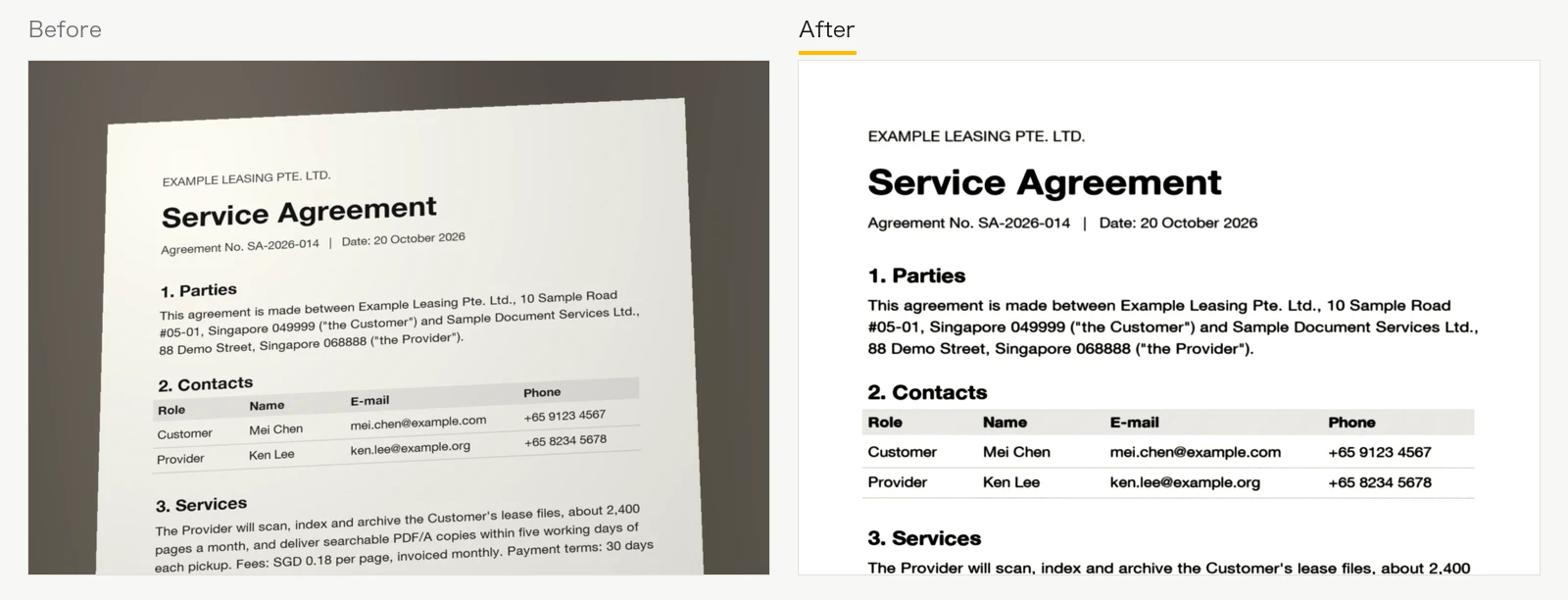
Phone photos of documents, cleaned into proper pages

Documents photographed on a phone come with shadows, the desk behind them and a tilt; scans come with dark edges. They look poor and are hard to read.

  1. You photograph a signed document on your phone while out
  2. Import it into Insavlo PDF and clean it up in one click
  3. Shadows, the desk and the tilt are gone: a neat page, ready to send or file

G1 MiniOn-devicePro and up

Several receipts on one scan, split apart

Receipts and invoices scanned together on one page have to be cropped one by one before an expense claim.

  1. At month end you put a pile of receipts on the scanner together
  2. Each receipt is outlined for you; take a quick look and confirm
  3. One receipt per page, ready to attach to the expense claim

Results depend on image quality.

G1 MiniOn-deviceEnterprise

Turn a paper form into a fillable PDF

Insurance and account-opening forms often exist only as scans or print-outs, so customers print them and write by hand.

  1. A customer’s account-opening form exists only on paper
  2. Scan it into Insavlo PDF: text fields, check boxes and signature places are created for you
  3. Send a fillable PDF; the customer fills it in on a computer and sends it back

G1 MiniOn-devicePro and up

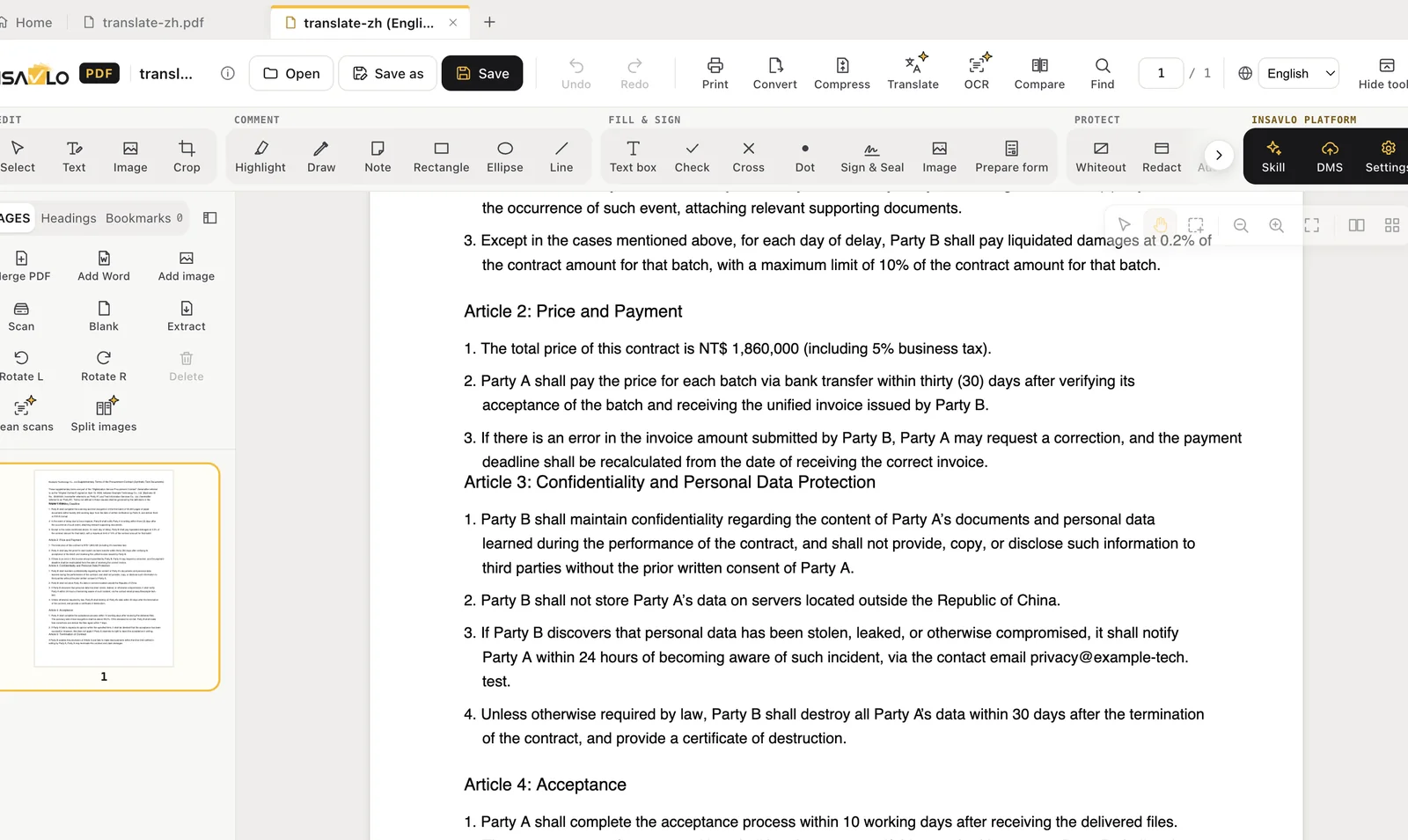
Translate a foreign-language contract on your computer

Confidential contracts and internal documents can't be pasted into an online translation service.

  1. A Chinese contract arrives and you need to understand it first
  2. Translate it into English on your own computer: the confidential file never goes online
  3. Paragraphs that need attention are annotated, so you see them at once when reviewing

Experimental: have translations reviewed by a person.

AI results can be wrong or incomplete. Check them before you apply, save or share.

ON-DEVICE AI

The AI models run on your computer. Your documents are not sent to Insavlo.

Many AI PDF tools upload your document to the cloud. Insavlo PDF keeps the models on your computer, runs them in separate background processes and gives the results to you to review.

01

Text recognition (OCR)

Turn scans into PDFs you can search and copy from. The recognition models come with the installer and need no internet.

Pro and up

02

AI Auto Redact

Find names, addresses, phone numbers, ID and account numbers, stamps and photos of people across a document; you confirm each one before it is redacted.

Pro and up

03

AI translation

Translate a document into 22 languages on your computer with Insavlo G1 Mini (best in English, Traditional and Simplified Chinese), with checks that numbers, codes and email addresses were kept. Experimental.

Pro and up

How on-device AI works →

WHY INSAVLO PDF

Why Insavlo PDF

No cloud*

Documents and on-device AI processing stay on your computer, even on isolated networks. Documents are uploaded only if you buy and use Insavlo Platform cloud parsing.

Reads what you have

Scans, photos, faces and stamps can all be handled (faces and stamps are a preview).

No limits

AI is included in the licence: no credits and no page counts.

Works anywhere

After activation it works offline, on the road or on site.

EDITIONS

Three editions

Personal is free (coming soon); Pro adds Insavlo G1 Mini on-device AI; Enterprise adds compliance, management and enterprise deployment.

Personal

Free

Personal, non-commercial use

Coming soon

An editor for everyday PDF work, free for personal, non-commercial use.

  • Edit, annotate, fill in forms, handwritten signatures
  • Secure redaction and AES-256 passwords
  • Convert to Word, Excel and PowerPoint
  • Verify digital signatures
  • No on-device AI features (including text recognition)
  • Connect to Insavlo Document Cloud AI§
Coming soon

Pro

US$79

Per user per year

Powered by G1 Mini

Everything in Personal, plus Insavlo G1 Mini on-device AI and professional tools, for commercial use.

  • Everything in Personal, for commercial use
  • Text recognition, AI Auto Redact, face and stamp detection
  • AI scan clean-up, document splitting, AI translation
  • Digital signatures, PDF/A, PDF 2.0
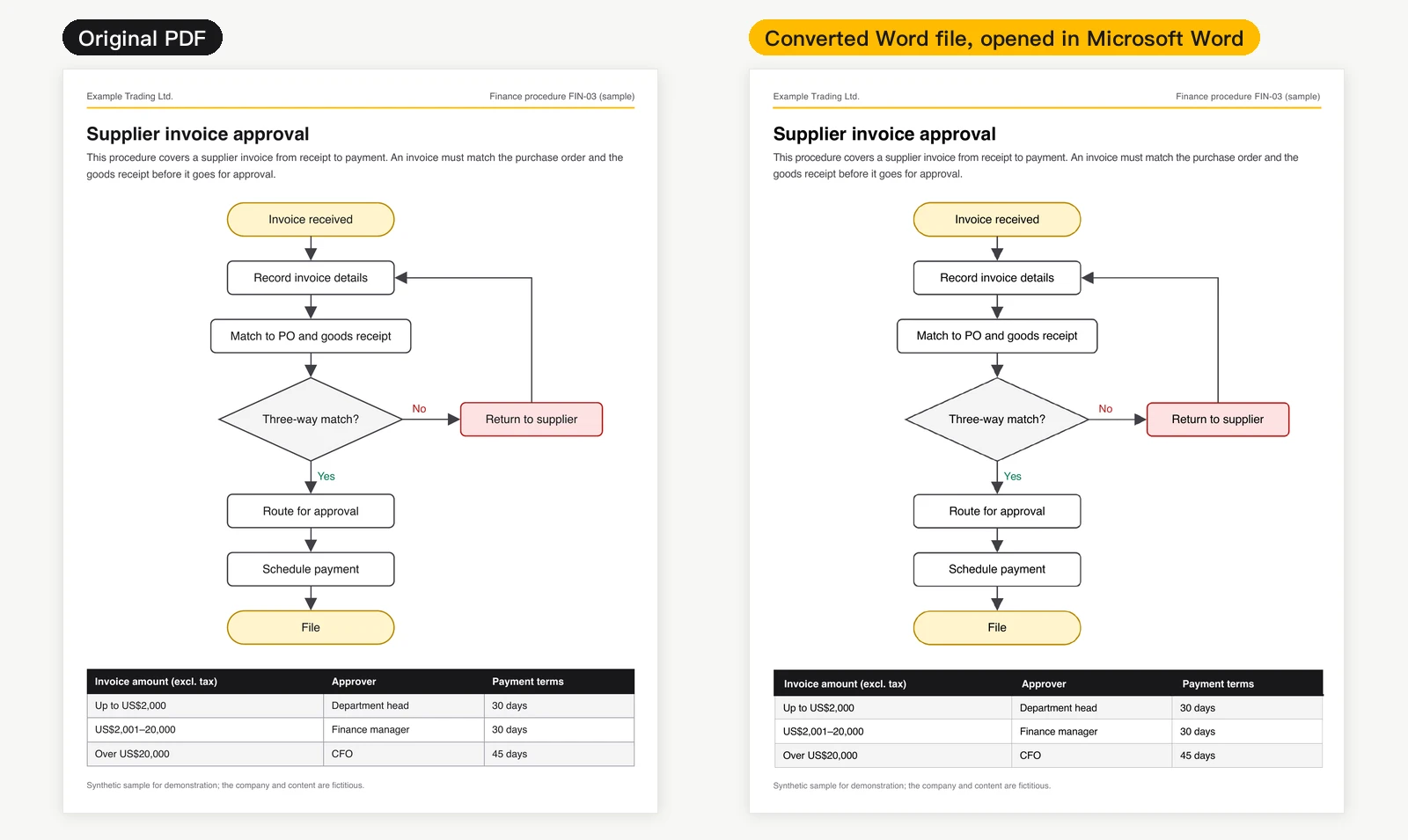
  • Comparison, exact-layout Word, batch conversion
  • Company seals, scanning

Enterprise

US$99

Per user per year

Powered by G1 Mini

Minimum 5 users

Everything in Pro, plus compliance, management and enterprise deployment.

  • Everything in Pro
  • Smart cards and USB tokens, PAdES, timestamps
  • PDF/A checks, PDF/UA accessibility
  • Watch folders
  • Management Portal with your logo and Microsoft account sign-in
  • Volume, organisation and on-premises licences

Prices in US dollars, excluding tax, per user

  • Each licence: 1 user, 2 computers
  • Yearly: the app and the G1 models keep being upgraded while you subscribe, with every new version and model update included
  • 3 years paid once: 25% off three years of the yearly price, with every version and G1 model update in that time; if not renewed at the end, the app becomes a reader
  • Perpetual: the first 12 months of updates and support included; maintenance after that is 20% of the licence price a year, renewable for up to 5 years
  • Unlimited on-device AI applies only to AI features running on a licensed computer. The Insavlo Platform (Document Cloud AI), its workflow automation, APIs and private deployment are licensed separately.

See the full edition comparison →

INSAVLO DOCUMENT INTELLIGENCE

From one computer to your whole organisation’s document workflow

Insavlo PDF is the desktop side of Insavlo document intelligence: everyone handles everyday documents on their own computer with on-device AI. When volumes grow, or documents need to flow into business systems, the Insavlo Platform takes over.

Desktop: Insavlo PDF

Editing, de-identification, text recognition and translation happen on each person’s computer, with no limits on on-device AI; documents are not uploaded unless you buy and use Insavlo Platform cloud parsing.

Platform: the Insavlo Platform

Recognition, validation, reconciliation and human review for large volumes of documents, integrated with your existing systems.

Deployment: cloud or on-premises

The Insavlo Platform runs in the cloud, hybrid or fully on-premises, to suit your data and compliance needs.

About the Insavlo Platform →

Try Insavlo PDF on your own documents

Personal will be free to download (coming soon). Try Pro free for 1 month: no payment, just fill in the form. Or contact us first with any questions.

Volume licences: contact sales →